

Updated
October 23, 2026
Omnichannel Retail POS: What Small Store Owners Actually Need
An omnichannel retail POS keeps products, inventory, and orders aligned across your physical and online stores. SKU IQ connects supported POS and ecommerce platforms so you can keep your existing store workflows.


TL;DR
- Omnichannel Retail POS setups help small retailers coordinate products, inventory, and orders across physical stores and ecommerce channels.
- Retailers can adopt one platform for both channels or connect an existing POS to an online store, depending on their current workflows.
- Inventory updates, product matching, field ownership, order workflows, and error handling are key requirements when evaluating an omnichannel setup.
- Retailers should verify platform compatibility, clean catalog data, define system ownership, and test real products and workflows before going live.
- SKU IQ helps retailers connect supported POS and ecommerce platforms while coordinating inventory and product data without replacing established store workflows.
Running a physical store and an online store creates a practical challenge for small retailers. A product sold at the counter can still appear available online. Price changes and new variants may also require updates across separate systems.
Online sales continue to make up a significant share of retail activity. According to the U.S. Census Bureau, e-commerce accounted for 17.1% of total U.S. retail sales in Q2 2026, reinforcing the need to keep physical and digital sales channels coordinated.
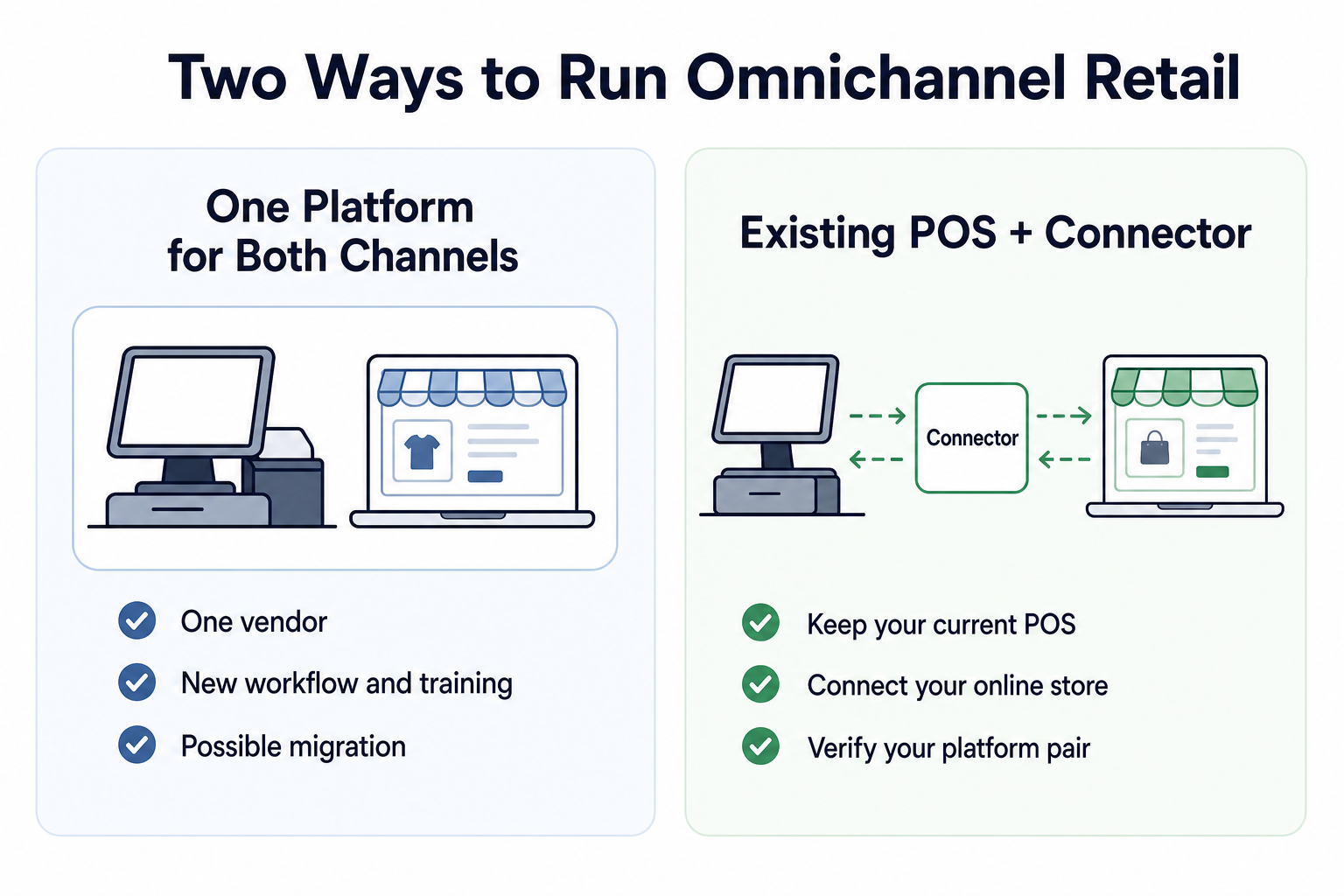
Small retailers generally have two ways to handle this. They can move both channels onto one platform or keep their existing POS and connect it to an online store. The right setup depends on current systems, daily store workflows, and how much operational change the retailer is prepared to make.
This guide compares both approaches and covers the inventory, product, order, location, and error-handling requirements to check before choosing an omnichannel retail POS setup.
What is an omnichannel retail POS?
An omnichannel retail POS is a point-of-sale setup that helps a retailer manage in-store and online selling as one operation. It should coordinate product and stock data across physical and ecommerce channels. Order coordination may also form part of the setup.
POS (point of sale) is the system staff use to ring up purchases. It can also support inventory management and other store operations.
An online store is another place where customers can buy those same products. Selling in both places makes you a multichannel retailer. The operation becomes omnichannel when those channels work together instead of acting like separate stores.
Consider a boutique with one black dress left in stock. If a customer buys it at the counter, the online store should not keep offering it for sale. Price and variant changes also need clear ownership. The retailer should know which system controls each update and where it appears.
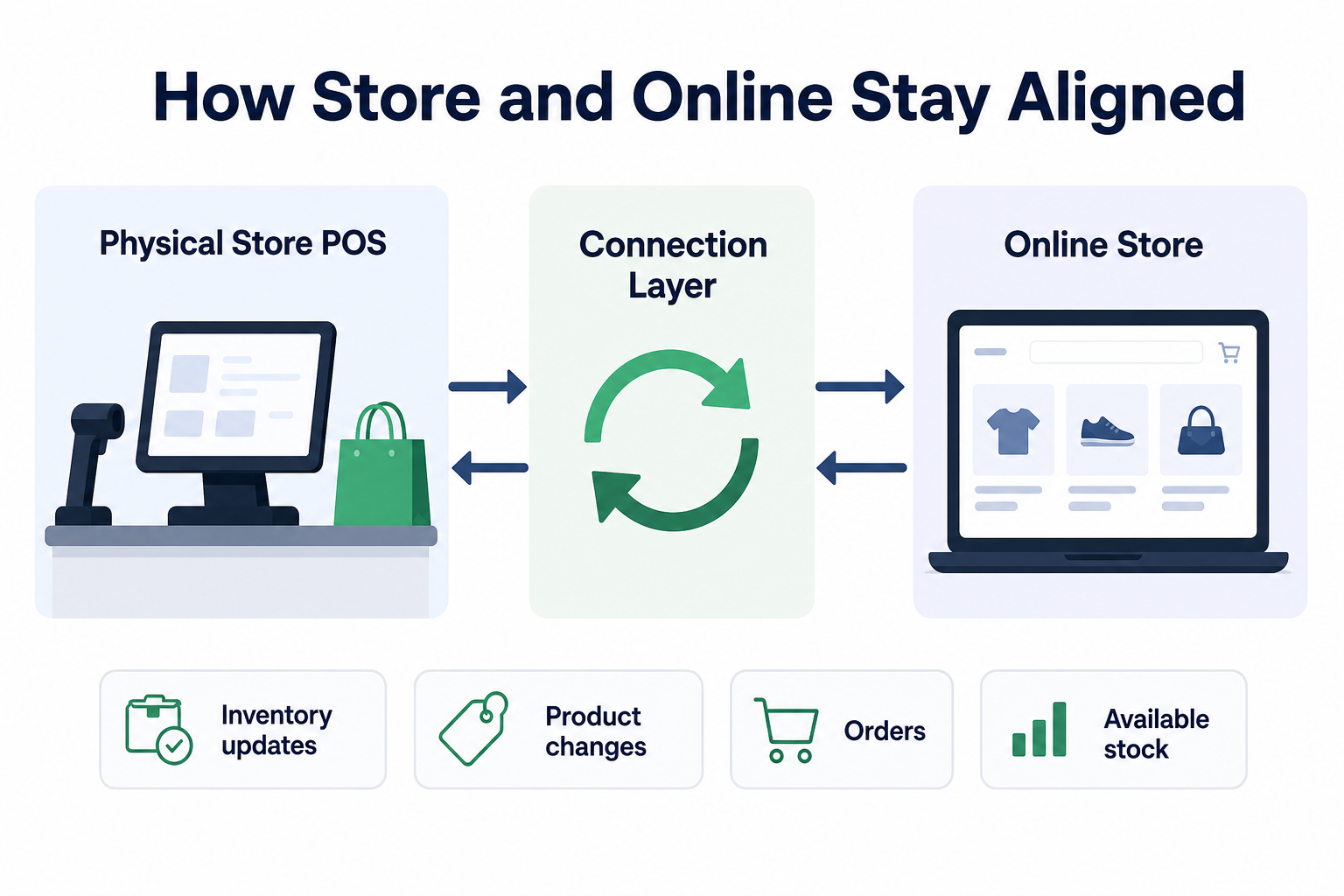
That coordination can happen within one retail platform. It can also happen through a connection layer between an existing POS and an ecommerce system. Small retailers can coordinate physical and online stores through a focused setup that matches their operational requirements.
Should you use one omnichannel retail POS or connect your existing systems?
A single platform is usually a better fit when a retailer is ready to standardize both channels around a new system. A connector can suit established stores with an effective POS. The retailer can add ecommerce while preserving familiar checkout workflows.
Table 1: One-platform vs. connected omnichannel retail POS setups for small retailers.
Neither setup is automatically better.
One platform can reduce the number of vendors and settings you manage. But moving to it may affect checkout hardware, payment processing, staff training, historical data, returns, tax settings, and the routines your team already follows.
A connector preserves more of your current operation. But it also means checking how two platforms exchange information. You need to understand what moves between them, in which direction, and what happens when an update fails.
The decision starts with a simple question: Are you trying to replace the way your store operates, or connect the way it already operates to an online storefront?
When does one POS for both channels make sense?
One system makes sense when the merchant is choosing technology from scratch, is unhappy with the current POS, or values a single vendor more than keeping the present workflow. It should still be tested against the store’s product, location, payment, hardware, and online-selling requirements before the switch.
This route may fit when:
- You are opening the physical store and online shop at roughly the same time.
- Your current POS is already due for replacement.
- Your current system lacks support for required products or store workflows.
- Your team can absorb training and a change in daily routines.
- The new platform supports your checkout hardware, payments, taxes, returns, and locations.
- You understand what will happen to product data, customer records, and sales history during the move.
Starting fresh can reduce disruption because there are fewer established processes to change. Replacing an established POS is a bigger decision. A store owner should look beyond the promise of “everything in one place” and test how the system handles an ordinary day at the counter.
Can staff find a product quickly? Can they sell and return items in the way customers expect? Does the system handle sizes and colors correctly? Can it support each physical location? What happens when the internet is unavailable or an online order needs attention?
One platform can simplify the software stack while still requiring careful workflow planning. The practical test is whether the new setup improves the entire store, not only the ecommerce side.
When is keeping your POS and adding a connector the better fit?
A connector is often a good fit when the store already runs smoothly on Square, Clover, Lightspeed, or another supported POS. The connector links that system to an online storefront so the owner can reduce duplicate catalog work and keep stock aligned without rebuilding the physical store around a new POS.
Consider a boutique that has used Clover for years. The owner and staff know how to ring up purchases, receive inventory, and handle the end of the day. The store now wants to open on Shopify.
Clover already supports the boutique’s physical-store workflow. The retailer needs a reliable connection between Clover and its new online store.
Without a connection, the owner may have to enter the same dresses, sizes, colors, prices, and quantities in both places. Each in-store sale creates another chance for online inventory to fall behind. Replacing Clover could solve the connection problem, but it would also change a checkout workflow that already works.
A connector offers a narrower answer: keep the POS, add the online store, and coordinate the necessary information between them. A connection layer such as SKU IQ is not a replacement cash register or ecommerce platform. It sits between supported systems to help the retailer manage the relationship between them.
The initial project may include matching existing product records or moving a POS catalog into the new online store. This process is catalog reconciliation or migration. The recurring job comes next: keeping selected product details and inventory coordinated as the business changes.
Before choosing this route, verify your exact POS and ecommerce pair. Support for products, fields, orders, locations, and update directions can vary. A general compatibility claim is not enough; the setup must support the way your store intends to work.
What should a small retailer require from either setup?
A useful omnichannel setup should make daily retail work clearer. Start with the operational outcomes below before comparing individual software features.
1. One stock count that reacts to both channels
When an item sells at the counter, online availability should reflect that sale. When an item sells online, the connected store-side quantity should change where the setup supports that flow.
This is how the system helps reduce overselling. It is not a guarantee that mismatches can never happen. Product matching, configuration, platform APIs, locations, and update behavior all affect the result. Ask how updates work and how your team will see a problem.
2. A clear way to match products and variants
A SKU is the identifier a retailer uses for a product or variant. A shirt may have separate SKUs for small, medium, and large, or for each combination of size and color.
Those records must be matched correctly across systems. During setup, check how the software handles duplicate products and missing SKUs. Review variant differences and one-sided records separately. You should also know which record takes precedence when the two systems disagree.
3. Control over which system owns each field
Inventory is not the only information that may need coordination. Products can also have titles, descriptions, prices, images, categories, and variants.
Decide where each type of information should be maintained. Your POS might be the place where staff control quantities and prices, while your online store is where you write customer-facing descriptions. In plain language, the question is: Which system should win when the two records disagree?
Verify which fields can move between platforms and the direction of each data flow for your platform pair.
4. An order workflow the staff can follow
An online order has to go somewhere. Ask whether it appears in the POS, remains in the ecommerce platform, or enters another process. Then check how staff handle fulfillment, cancellations, refunds, and returns.
The best answer depends on how the store operates. What matters is that employees know where to look and what to do next. Confirm current order behavior for the exact platforms you plan to connect.
5. Support for locations, errors, and recovery
A store with more than one location needs to know which quantity belongs to which place. Ask how locations are mapped and how online stock is assigned.
Also ask what happens when an update does not go through. Can staff see the error? Can it be retried? Does the system explain which product needs attention? Who helps resolve a mismatch? Errors should be visible enough to fix before they turn into customer problems.
What should you check before choosing an omnichannel retail POS?
Review these areas with the people who manage daily store operations. Focus on your existing systems, required workflows, and actual catalog before making a decision.
- Existing POS: Assess how well your current POS supports daily store operations. Identify the operational reasons for considering a replacement.
- Hardware and training: Account for potential hardware changes and staff retraining. Include these operational costs when comparing setups.
- Platform compatibility: Confirm that your exact POS and ecommerce platform pair works together. Check the specific connection instead of relying on general compatibility.
- Field ownership: Decide which system controls inventory and prices. Set clear ownership for product descriptions and other customer-facing information.
- Online orders: Determine where online orders appear and how staff process them. Map fulfillment and post-purchase activities separately.
- Catalog requirements: Check how many locations and product variants the setup must support. Test the connection against your actual catalog structure.
- Catalog setup: Plan how existing product records will be matched or migrated. Resolve duplicate records and missing SKUs before the full connection.
- Error handling: Check how failed updates appear to staff. Confirm the available retry process and support path.
- Pre-launch testing: Test a representative group of products before rollout. Include variants and low-stock products from your actual catalog.
If you plan to change your store’s operating system, evaluate an all-in-one platform. A connector can suit retailers that want to retain their existing POS.
What are the common mistakes to avoid when choosing an omnichannel retail POS?
Choosing the right setup requires more than checking features and platform compatibility. Retailers should also watch for mistakes in system selection, catalog preparation, data coordination, and pre-launch testing.
- Choosing from a broad “best POS” list. A system can be popular and still be wrong for your hardware, products, locations, payments, or online store. Start with your exact requirements.
- Confusing migration with ongoing coordination. Moving a catalog into a new storefront is an initial project. Keeping quantities and selected product details aligned after future sales and edits is a recurring process. Check both.
- Assuming every field moves in both directions. Inventory, price, descriptions, images, variants, and orders may follow different rules. Document which system owns each field.
- Skipping catalog cleanup. Duplicate records, missing SKUs, and mismatched variants can produce trouble after launch. Resolve them before connecting the full catalog.
- Testing only one simple product. Include products with sizes and colors, low-stock products, online and in-store sales, cancellations or returns where relevant, and location-specific inventory.
- Buying more systems than your store needs. A small physical retailer adding an online storefront may need a focused connection between two systems, not a broad enterprise inventory suite.
Build your omnichannel retail POS setup with SKU IQ
An omnichannel retail POS does not always require replacing the system your store already uses. If your current POS supports daily operations effectively, SKU IQ can help connect supported POS and ecommerce platforms while keeping established store workflows in place.
With SKU IQ, retailers can focus on connecting the systems that need to work together:
- Keep your existing POS: Continue using a supported POS your staff already know for everyday store operations.
- Connect your online store: Link supported POS and ecommerce platforms instead of moving both channels onto one new system.
- Coordinate inventory and products: Keep selected product information and inventory aligned across connected systems.
- Support ongoing operations: Manage the connection as products, quantities, and orders change across your sales channels.
Before getting started, confirm that SKU IQ supports your exact POS and ecommerce platform pair and the data flows your store requires.
Start your free trial with SKU IQ to connect your POS and online store and build an omnichannel retail setup around your workflow.
FAQs
1. What is an omnichannel retail POS?
An omnichannel retail POS is a point-of-sale setup that coordinates selling in a physical store and through an online storefront. It helps the retailer work from connected product, inventory, and order information. The setup can use one platform for both channels or a connector between an existing POS and an ecommerce system.
2. Does an omnichannel retail POS have to be one system?
No. A retailer can use one platform for in-store and online selling, but that is not the only option. A connector can link an existing POS to an ecommerce storefront. The retailer should verify that the exact platform pair supports the store’s inventory, product, order, location, and update-direction requirements.
3. Can I keep my current POS when I open an online store?
Yes, when a compatible connector supports your POS and ecommerce platform. Verify inventory synchronization and product matching first. Then confirm how the connection handles orders, locations, and failed updates.
4. What should sync between a POS and an online store?
Inventory quantity is usually the first concern because sales can happen through either channel. Depending on the platform pair and setup, the retailer may also need to coordinate product titles, descriptions, prices, images, categories, variants, and orders. Decide which system owns each field, then verify what can move and in which direction.
5. What is the difference between catalog migration and ongoing synchronization?
Catalog migration is the initial movement or reconciliation of product records when setting up an online store or new system. Ongoing synchronization handles later sales and product changes across the connected platforms. A successful catalog move does not automatically mean every future inventory, product, variant, or order workflow is covered.
6. How does an omnichannel POS help prevent overselling?
It helps by updating available stock when an item sells through the physical store or online channel. This reduces the chance that an out-of-stock item remains available for sale through another channel. The effectiveness of these updates depends on correct product matching, configuration, location mapping, platform APIs, and update behavior, so the process should be tested and monitored.
7. Is an all-in-one POS better than using a connector?
Neither choice is always better. One platform may suit a new store or a retailer ready to replace the current POS and adopt a new workflow. A connector may suit an established retailer that wants to preserve an effective POS while adding ecommerce. Compare operational change, compatibility, supported data, and staff workflow.
8. What should I test before going live?
Test matched and unmatched products, SKUs, sizes and colors, inventory changes from each sales channel, and the online order workflow. Where relevant, test cancellations, refunds, returns, and location mapping. Confirm that staff can see failed updates, understand what needs attention, and follow a clear recovery process before connecting the full catalog.
Share this blog:







Sync and Manage Inventory Across Your Retail Systems
- No more spreadsheets or manual updates
- Real-time sync between POS and eCommerce
- One product catalog, every sales channel
- Save hours managing multiple systems

Ready to stop worrying about inventory?
Start a free trial and experience how much easier retail operations become when your systems stay in sync.