

Updated
November 5, 2026
Best POS and Inventory Management Software for Omnichannel Retail
Omnichannel retailers can connect in-store and online sales by keeping inventory, product variants, and orders aligned across both channels. A shared stock record reduces manual updates and inventory discrepancies. SKU IQ connects supported POS systems with eCommerce platforms, helping sync product, inventory, and order data.


TL;DR
- Syncing POS inventory with your online store helps keep stock levels accurate across sales channels.
- Matching product variants, SKUs, and quantities helps reduce inventory discrepancies.
- Connecting your existing product catalog to eCommerce reduces duplicate data entry.
- Routing online orders into your POS workflow helps simplify fulfillment and sales reconciliation.
- SKU IQ connects supported POS and eCommerce platforms to help align inventory, product, variant, and order data.
Retailers selling in-store and online need accurate stock counts across both channels. A product sold at the counter may still appear available online if the systems don't share inventory updates. This can lead to overselling, canceled orders, and extra work for staff.
According to Adobe's 2025 holiday shopping report, US shoppers spent a record $257.8 billion online during the 2025 holiday season, up 6.8% year over year. As online demand grows, keeping inventory aligned becomes increasingly important.
This guide compares the best POS and inventory management software options for omnichannel retail, covering key features, integrations, pricing, and how to choose the right setup for your store.
Best POS inventory management software at a glance
The shortlist groups 8 options by setup type, from POS systems with built-in inventory to standalone inventory platforms. Use the table to identify products that suit your current register and online store.
Table 1: 8 POS inventory options grouped by setup type, with SKU IQ as the connector for stores keeping their POS.
SKU IQ appears first because this guide is designed for retailers considering a connector. The remaining products follow their setup types.
What is POS inventory management software for omnichannel retail?
POS inventory software records stock where sales happen, so each sale at the counter lowers the count on hand. Omnichannel stores also need that number on the website, and the link to the website works in one of three ways.
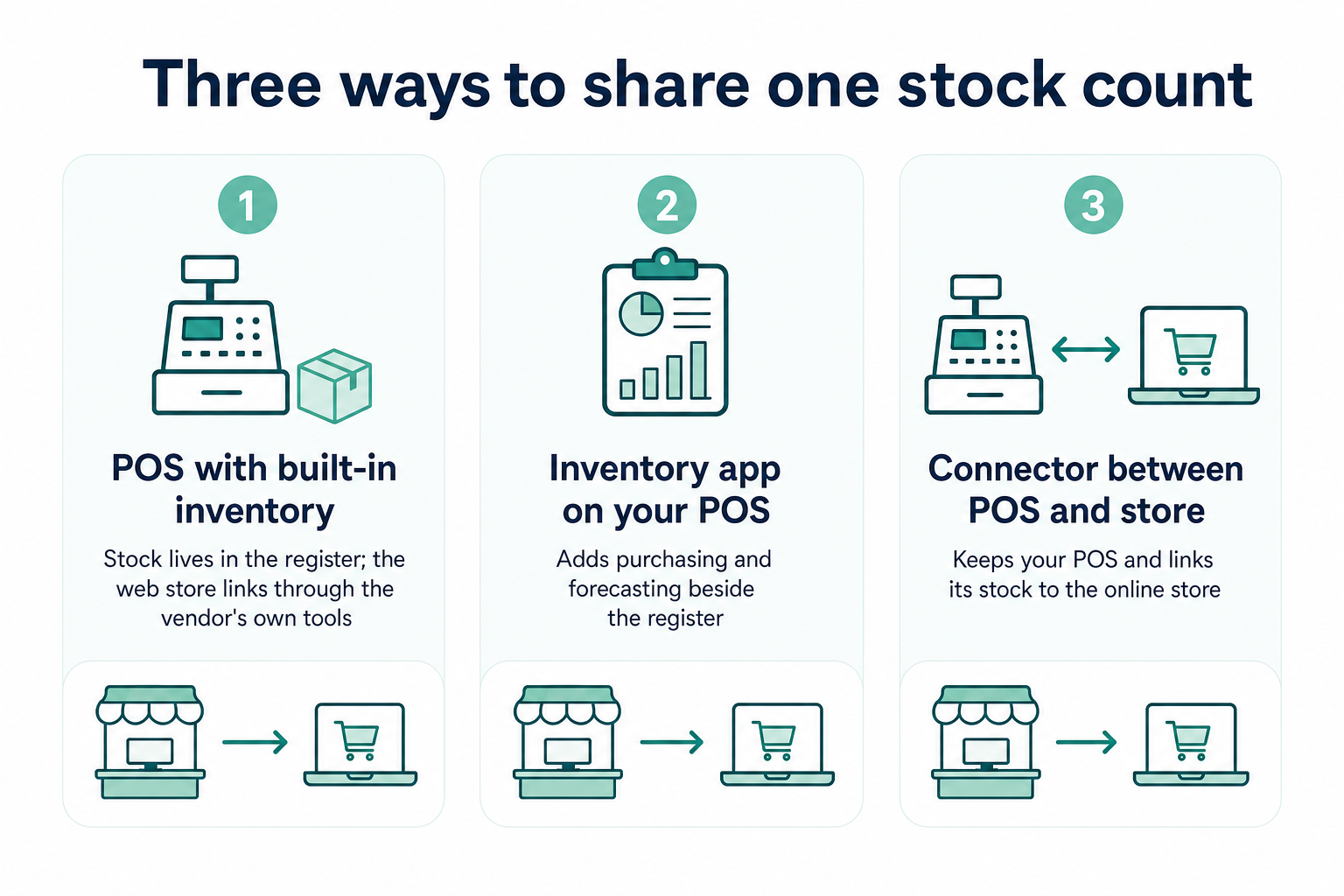
1. A POS with built-in inventory
Square and Lightspeed Retail manage product records and stock quantities within the POS. Clover also offers inventory tools on eligible Retail Growth plans.
The online store connects through the provider's eCommerce tools or a compatible integration. This setup suits retailers who want inventory management inside their existing register software.
2. An inventory app added to your POS
Thrive Inventory and Zoho Inventory add purchasing and forecasting on top of the register, while Cin7 Core goes further with warehouse tools.
3. A connector between your POS and online store
A connector such as SKU IQ links the register with the online store. Staff can continue using their current POS while inventory updates pass between the connected platforms.
Setup involves matching existing products and transferring items that exist on only one side. Once products are linked, sales can trigger inventory updates across channels.
Which inventory features matter when you sell in store and online?
Prioritize matching product variants and tracking quantities by location. Then assess purchasing workflows, stock adjustments, and the way inventory reaches your online store.
1. Variants that match on both channels
A T-shirt available in four sizes and three colors has 12 variants, and each needs the same structure in both systems. Shopify allows up to 2,048 variants and three options per product.
When structures differ, products fail to link and counts drift apart. Our walkthrough of variant setup in Shopify shows how options behave online.
2. Stock counts by location
Pickup orders pull from one store's shelf. Adobe's same holiday data shows curbside pickup handled 17.1% of online orders among retailers offering it. Location-specific stock counts help match those orders to available inventory.
3. Purchase orders and receiving
Purchase orders help staff record incoming stock and update quantities after deliveries arrive. For example, a shipment of 40 cartons can be recorded in a single receiving workflow instead of manually editing every product quantity.
Purchase records also help track supplier costs as prices change. The Federal Reserve's 2026 Report on Employer Firms found that 69% of retail firms identified tariff-related costs as a financial challenge.
4. Counts, adjustments, and low-stock alerts
Cycle counts help staff find differences between recorded quantities and physical stock. Inventory adjustments record damaged or missing items, while low-stock alerts flag products that need reordering.
A gift shop could count a high-selling aisle every Saturday morning. If a popular item reaches three units, an alert can prompt a reorder before the shelf empties.
Returns add more adjustments, and each restocked item should be reflected in the inventory counts for both channels. Retailers expected 19.3% of online sales to come back in 2025, per NRF and Happy Returns.
5. How stock reaches the online store
Some systems use a shared catalog, while others rely on an integration or connector. Ask how long an update takes and how you would spot a failed one. Our guide to selling the same item twice shows the cost of a slow update.
Which plan includes each inventory feature?
Inventory features vary by provider. Some include purchase orders, stock counts, and multi-location management in their entry plans, while others reserve these tools for higher tiers or paid add-ons.
The table below compares feature availability across 8 products using official vendor documentation.
Table 2: Inventory feature availability by product and subscription plan.
The main differences concern purchase orders, inventory transfers, and stock counting. For example, Thrive Inventory requires Standard for purchase orders and internal transfers, while Shopify includes purchase-order management in its admin rather than restricting it to POS Pro.
Before choosing a plan, confirm whether location limits apply to stores or warehouses, whether stock counts require an upgrade, and which online sales channels the subscription supports.
The 8 best POS and inventory management software options in detail
The right inventory software depends on how your store manages stock, processes orders, and sells across channels. Some platforms handle inventory within the POS, while others connect existing systems or provide advanced purchasing and warehouse tools. The following profiles cover each product’s inventory features, integrations, pricing, and best-fit use cases.
1. SKU IQ: Keep your POS and connect its stock to your online store
Overview: SKU IQ is a connector between a retailer's existing POS and online store. Supported POS platforms include Square Retail, Clover Retail, and Lightspeed R-Series and X-Series.
Inventory strengths: The Link Report matches existing products by SKU or UPC, with an exact title as a fallback. Items found only in the POS can be transferred to the online store using a catalog push, and linking versus pushing explains which route suits each product.
How stock reaches your online store: Quantity sync runs on every plan with unlimited linked items. The supported POS and online stores page lists five eCommerce platforms, led by Shopify and Wix.
Pricing and setup: Basic costs $19 per month, Plus costs $49, and Pro costs $99, and Pro adds Priority Sync for busier stores. The trial lasts up to 14 days with a free setup call.
Trade-off and best fit: Purchase orders and shelf counts stay in the POS, since the connector only links systems. It fits a one- or two-location store selling online on a supported platform, such as Square and Shopify.
2. Square for Retail: Free inventory basics, deeper tools on Square Plus

Overview: Square for Retail suits stores that want checkout and stock management under one account. Square Free includes basic items and catalog tools.
Inventory strengths: Square Plus and Premium offer additional retail inventory features. Purchase orders and stock transfers are available through eligible Square for Retail subscriptions or plans with advanced inventory capabilities. Check the plan's inventory features before subscribing.
How stock reaches your online store: Square's own website tools share the catalog with the register. Shopify or Wix connects through an app, and our page on how to connect Square to other stores lists each pairing.
Pricing and setup: Square Free has no monthly software fee. Plus is listed at $49 per month per location, while setup can use CSV imports for larger catalogs.
Trade-off and best fit: Advanced inventory features carry per-location costs. Square suits retailers who want purchasing workflows within their checkout system.
3. Lightspeed Retail: Purchase orders and reorder points for inventory-heavy stores
Overview: Lightspeed Retail suits businesses where stock control plays a central role in daily operations. Apparel and bicycle retailers with many variants may find its inventory tools useful.
Inventory strengths: Lightspeed Retail includes built-in purchase orders and min/max reorder points. Staff can receive and transfer stock directly through the POS, while Lightspeed Insights provides demand forecasting to support inventory planning.
How stock reaches your online store: Lightspeed offers its own eCommerce platform. Stores on another web platform can add a connector, and SKU IQ supports Lightspeed R-Series connections along with X-Series.
Pricing and setup: The basic plan is listed at $89 per month with annual billing. Additional locations and registers can increase the total cost, and trial availability should be confirmed with the vendor.
Trade-off and best fit: The full toolset suits a large catalog, so a small gift shop may pay for unused features. Our comparison of Lightspeed and Shopify POS helps stores with hundreds of size and color variants decide.
4. Clover: Hardware-led POS with stock tools on Retail Growth
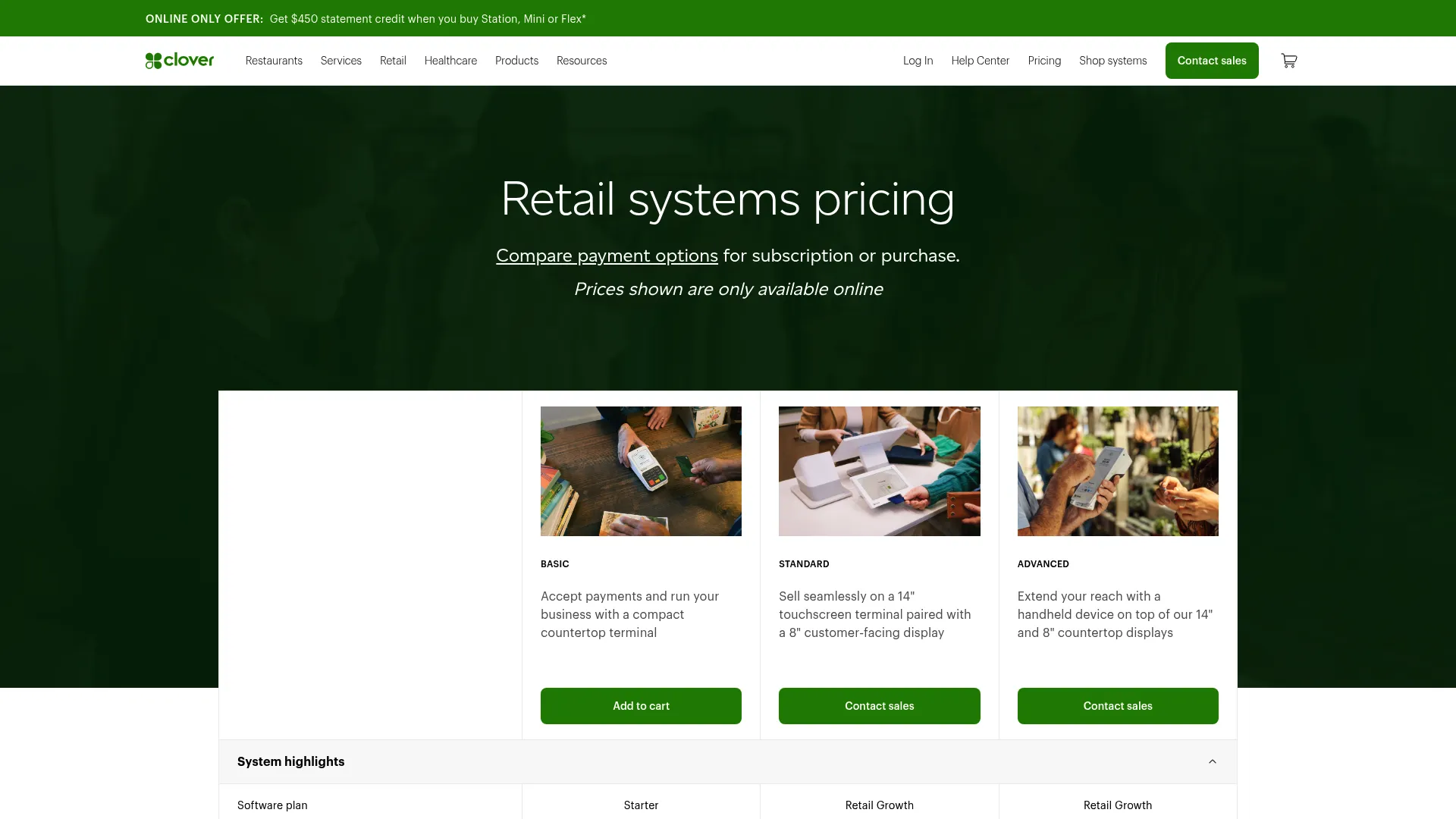
Overview: Clover sells POS systems that combine devices with software. It suits retailers who prefer to manage their counter setup through one provider.
Inventory strengths: Clover's retail plans include item and category management on the Retail Growth plan. The Clover Help Center also documents stock tracking and item availability settings.
How stock reaches your online store: Retail Growth includes an online store and integration with an existing one. Our Clover inventory setup guide covers the counter side. The Clover and Shopify page shows what syncs online.
Pricing and setup: Clover’s Standard package with the Retail Growth plan costs $180 per month over 36 months, or $1,899 upfront plus $84.95 per month for software. The Starter plan costs $16 per month over 36 months but excludes item and category management. Retail Growth includes inventory management and integration with an existing online store.
Trade-off and best fit: The retail pricing page leaves purchase orders out, so confirm them with Clover before buying. Clover fits a store that already runs Clover devices and wants to keep them.
5. Shopify POS: One catalog for Shopify-first retailers
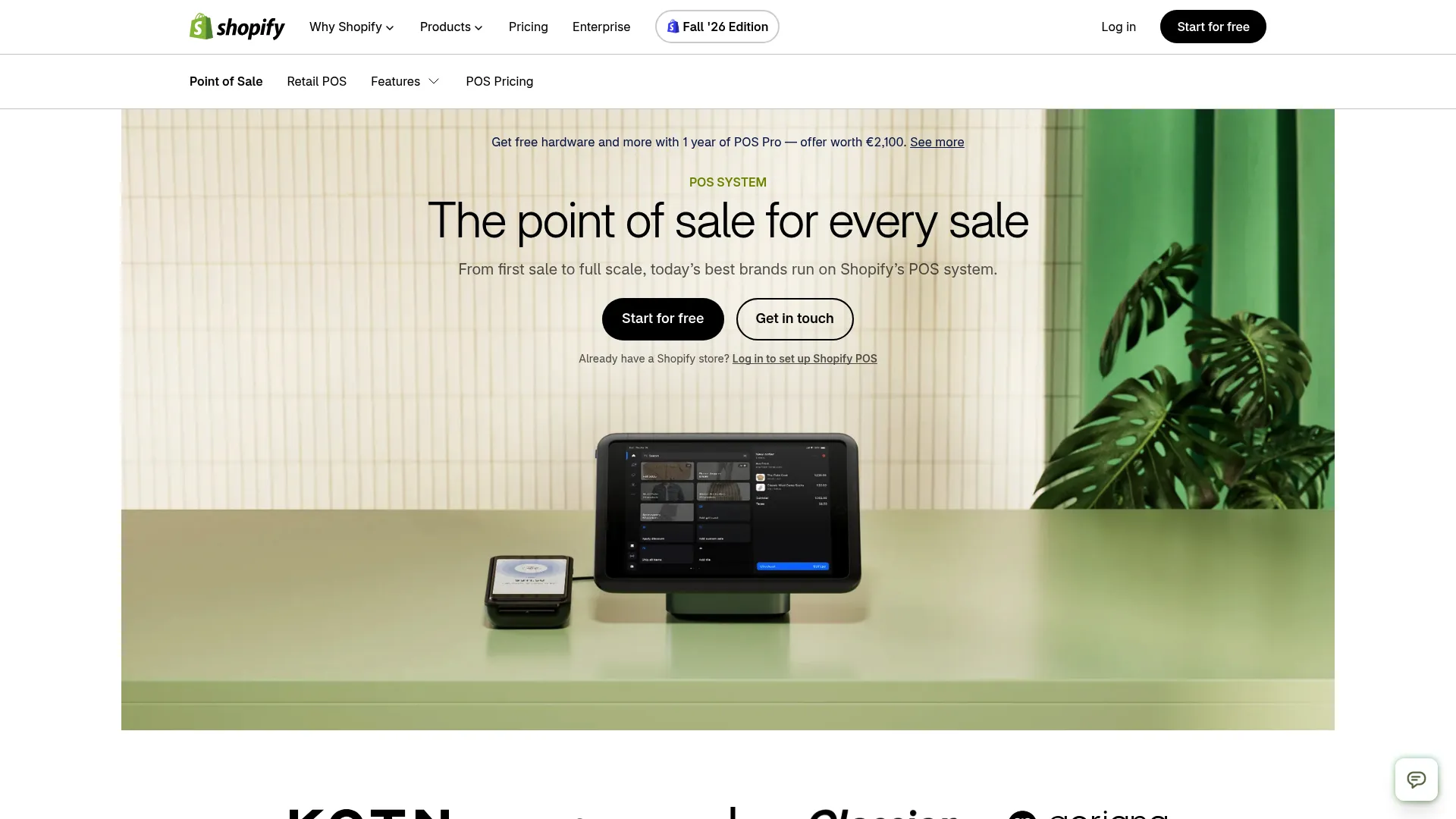
Overview: Shopify POS manages in-person transactions through the same platform as a Shopify online store. It can suit brands that started online and later opened a physical shop.
Inventory strengths: Shopify supports purchase orders, stock counts, and inventory transfers through its admin. POS Pro lets staff perform assigned stock counts directly in the POS app at subscribed locations. Retailers can manage inventory across multiple locations without requiring POS Pro for basic stock management.
How stock reaches your online store: Stock lives in one place, so an in-store sale lowers the online count directly. Staff see one product list at the counter and online.
Pricing and setup: Shopify Basic is $39 per month on monthly billing. POS Pro adds $89 a month per location, billed annually.
Trade-off and best fit: For a store on another register, switching means moving checkout and hardware to Shopify. Stores keeping their register can pair another POS with Shopify instead, while online-first brands opening a shop fit Shopify POS well.
6. Thrive Inventory: Purchasing and forecasting on top of your POS
Overview: Thrive Inventory, formerly Shopventory, adds inventory management tools alongside a retailer's existing register. It can suit stores whose purchasing needs have outgrown their POS features.
Inventory strengths: Thrive lists purchase orders and min/max stock levels. Forecasting and vendor management features support retailers who buy from multiple suppliers.
How stock reaches your online store: Thrive connects with Clover and Square on the POS side. Its eCommerce integrations include Shopify and WooCommerce.
Pricing and setup: Starter is listed at $55 a month on annual billing for one location and one integration. A 14-day full-featured trial includes a free onboarding call.
Trade-off and best fit: Staff will need to work across the POS and inventory app. Thrive suits retailers that place frequent supplier orders and need additional stock planning.
7. Zoho Inventory: Warehouse-style tools at small-business prices
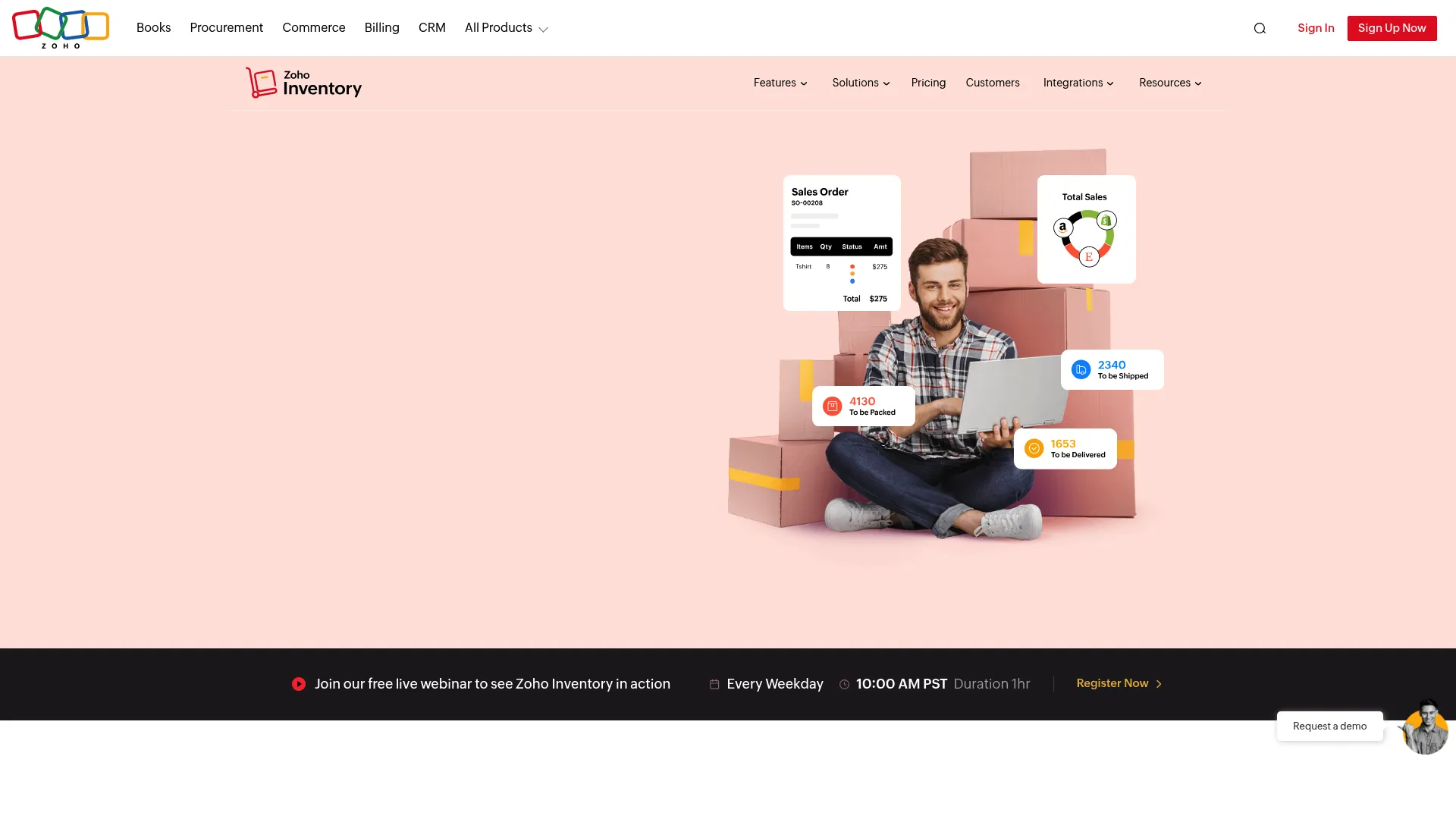
Overview: Zoho Inventory is a standalone inventory system with warehouse-oriented tools. It may be a good fit for retailers already using Zoho's business software.
Inventory strengths: Zoho's pricing page lists purchase orders and multi-warehouse stock with transfer orders. The feature list also includes bin locations and barcode scanning.
How stock reaches your online store: Shopify and WooCommerce are listed among its eCommerce integrations. Retailers should confirm the connection available for their existing POS before subscribing.
Pricing and setup: A free plan covers 50 orders a month. Standard costs $29 per organization a month on annual billing, with 500 orders a month and 2 locations.
Trade-off and best fit: Day-to-day stock control moves into a new system beside the POS. It suits a store with a stockroom or second warehouse on a tight budget.
8. Cin7 Core: Inventory, purchasing and POS for growing operations
Overview: Cin7 Core combines inventory management with purchasing and warehouse operations. It suits businesses that sell wholesale and retail or manage stock across several locations.
Inventory strengths: Cin7 lists warehouse management and POS capabilities among its Core features. ForesightAI forecasting is available as a separate add-on.
How stock reaches your online store: The Standard plan includes 2 eCommerce and app integrations, with more available to buy. Shopify appears among its top integrations.
Pricing and setup: Cin7 lists Standard at $349 a month for 5 users and 6,000 sale orders per year. Higher tiers run $599 and $1,199 a month. Confirm the current plan names and features directly with Cin7 before purchasing.
Trade-off and best fit: Pricing and setup reflect a broader operations platform. Cin7 Core fits retailers managing wholesale orders and inventory across multiple stock locations.
How much does POS inventory management software cost for one store?
POS inventory management software costs depend on your existing register, the features you need, and how many sales channels you connect. Some businesses can add inventory syncing to their current setup, while others need a higher POS plan or a dedicated inventory management system.
For comparison, the table uses a store with approximately 1,800 products and fewer than 500 Shopify orders per month. Costs exclude payment processing fees and hardware unless otherwise stated.
Table 3: Added monthly software cost for one store already running a Shopify online store, before hardware and card fees.
Hardware and card fees sit outside these totals. Thrive's row assumes the POS counts as one plan integration.
Setup time varies too, since a new inventory system means training and a data import. Staff stay on a familiar register with a connector.
Similar totals can buy different jobs. The Shopify POS row replaces the register, while the Square row keeps it.
How do you choose the right POS inventory setup?
Start with where your stock count already lives, then ask whether the web store is the part that drifts. The flowchart and questions below can help you choose the right setup.
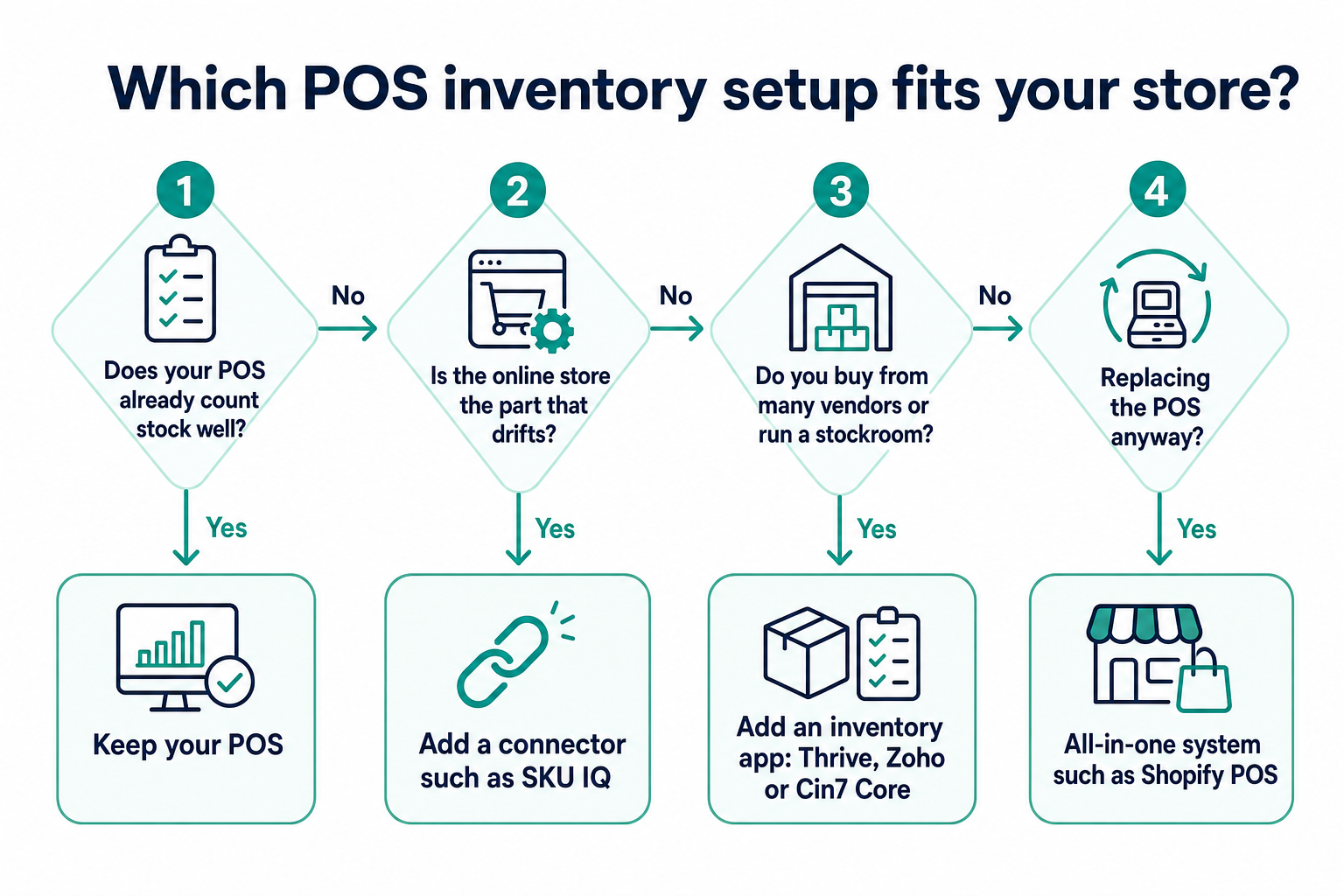
1. Does your current POS already count stock well?
Keep your existing POS if it manages inventory accurately. Check whether your current plan includes essential features such as purchase orders, stock counts, and inventory transfers.
2. Is the online store the part that drifts?
Add a connector and keep the checkout your staff knows. Our explainer on how to keep the POS you know shows how a connected store runs.
3. Do you buy from many vendors or run a stockroom?
Shortlist an inventory app such as Thrive Inventory, or Cin7 Core for larger volumes. Confirm how each one reaches your register and web store.
4. Are you about to replace the POS anyway?
An all-in-one system such as Shopify POS keeps a single catalog for both channels. Budget for new hardware and staff training.
How does SKU IQ simplify POS inventory management for online stores?
Managing inventory across a physical store and an eCommerce website doesn't have to mean replacing your existing POS. SKU IQ connects supported systems so retailers can maintain their current checkout process while keeping online stock records aligned.
Here's how to get started:
- Connect your platforms: Authorize your POS and eCommerce accounts through SKU IQ.
- Review product matches: Use the Link Report to check suggested product pairings and approve the correct matches.
- Add missing products: Transfer products that exist in one system but not the other using the catalog push option.
- Check your setup: Test a few inventory changes to confirm that the correct products and variants update across both platforms.
Once products are linked, SKU IQ automatically syncs inventory quantity changes between your POS and online store. You can continue using your existing systems without manually updating stock counts on both platforms.
Want to connect your POS and online store? Start your free SKU IQ trial and get setup assistance to configure your integration.
Frequently asked questions about POS inventory management software
1. Which POS inventory management software suits a small retail store best?
The best fit depends on where your stock count lives today. A store satisfied with its current register can add a connector such as SKU IQ to reach Shopify or Wix. Retailers replacing their registers can compare Lightspeed Retail and Shopify POS based on inventory features, integrations, and costs.
2. Does Square have inventory management built in?
Yes, Square includes item tracking and stock alerts on its free plan. Square Plus and Premium add purchase orders and transfers between locations, priced per location.
3. Can my POS manage inventory for my online store too?
It can when both run on one platform, as with Shopify POS and a Shopify online store. A separate web store needs an integration or a connector to share the count.
4. What is the difference between POS inventory software and an inventory management system?
Point-of-sale inventory tools live inside the register and track stock as you sell. An inventory management system such as Cin7 Core adds purchasing and warehouse tools in a separate database, with links to the register and web store.
5. How much does POS inventory management software cost?
Costs vary by setup. SKU IQ starts at $19 per month, while standalone systems such as Zoho Inventory and Cin7 Core have different subscription costs. Your total depends on the POS plan, inventory features, integrations, and number of locations.
6. Can I sync inventory with Shopify or Wix and keep my current POS?
Yes, a connector keeps your current register in place. Clover and Square both pair with Shopify or Wix through SKU IQ, and Lightspeed R-Series and X-Series are supported too.
7. How often does stock update between a POS and an online store?
Timing depends on the setup, and a shared catalog such as Shopify POS updates inside one system. With SKU IQ, a stock change takes about three minutes on average.
Share this blog:






Sync and Manage Inventory Across Your Retail Systems
- No more spreadsheets or manual updates
- Real-time sync between POS and eCommerce
- One product catalog, every sales channel
- Save hours managing multiple systems

Ready to stop worrying about inventory?
Start a free trial and experience how much easier retail operations become when your systems stay in sync.