

Updated
November 6, 2026
Clover vs Shopify: POS, Ecommerce, or a Connected Setup?
Compare Clover vs Shopify for small retail stores, including POS features, ecommerce, pricing, inventory management, and payment processing. Learn when to keep Clover, switch to Shopify POS, or connect both platforms using SKU IQ. See setup costs, migration requirements, and ways to sync inventory across sales channels.


TL;DR
- Clover suits counter-first retailers. Clover combines dedicated POS hardware, payment processing, and inventory tools, making it suitable for stores with mostly in-person sales.
- Shopify fits online-first businesses. Shopify combines ecommerce and POS capabilities, allowing retailers to manage products and inventory across online and physical sales channels.
- Setup costs vary by platform. Clover starts at $84.95 monthly, Shopify with POS Pro costs $128, and a connected setup costs $142.95, excluding processing fees.
- Retailers can connect both platforms. SKU IQ syncs inventory between Clover and Shopify in about three minutes on average, reducing manual stock updates across channels.
- Switching platforms requires preparation. Moving from Clover to Shopify involves exporting products, reviewing variant limits, transferring inventory counts separately, and training staff on new hardware.
Choosing between Clover and Shopify depends on how your retail store operates. Clover focuses on in-store checkout, while Shopify offers an ecommerce platform with its own POS system. Retailers selling through both channels can also connect the two platforms without replacing their existing registers.
According to Deloitte’s 2026 Holiday Retail Survey, shoppers plan to spend 55% of their holiday budgets online. However, physical stores remain important for retail purchases.
This guide compares Clover vs Shopify across features, pricing, inventory management, and payment processing. It also covers when to switch to Shopify POS and when to keep Clover and connect both systems.
Is Clover or Shopify better for a retail store?
Clover suits a store where most sales happen at the counter on Clover hardware. Shopify suits a shop whose catalog and sales already live online. Retailers with steady sales in both channels can keep Clover in-store and run Shopify online, with inventory synced between them.
Where your sales happen and where your product catalog lives matter more than any feature list. A shop taking four in five sales at the register, for example, leans toward keeping Clover.
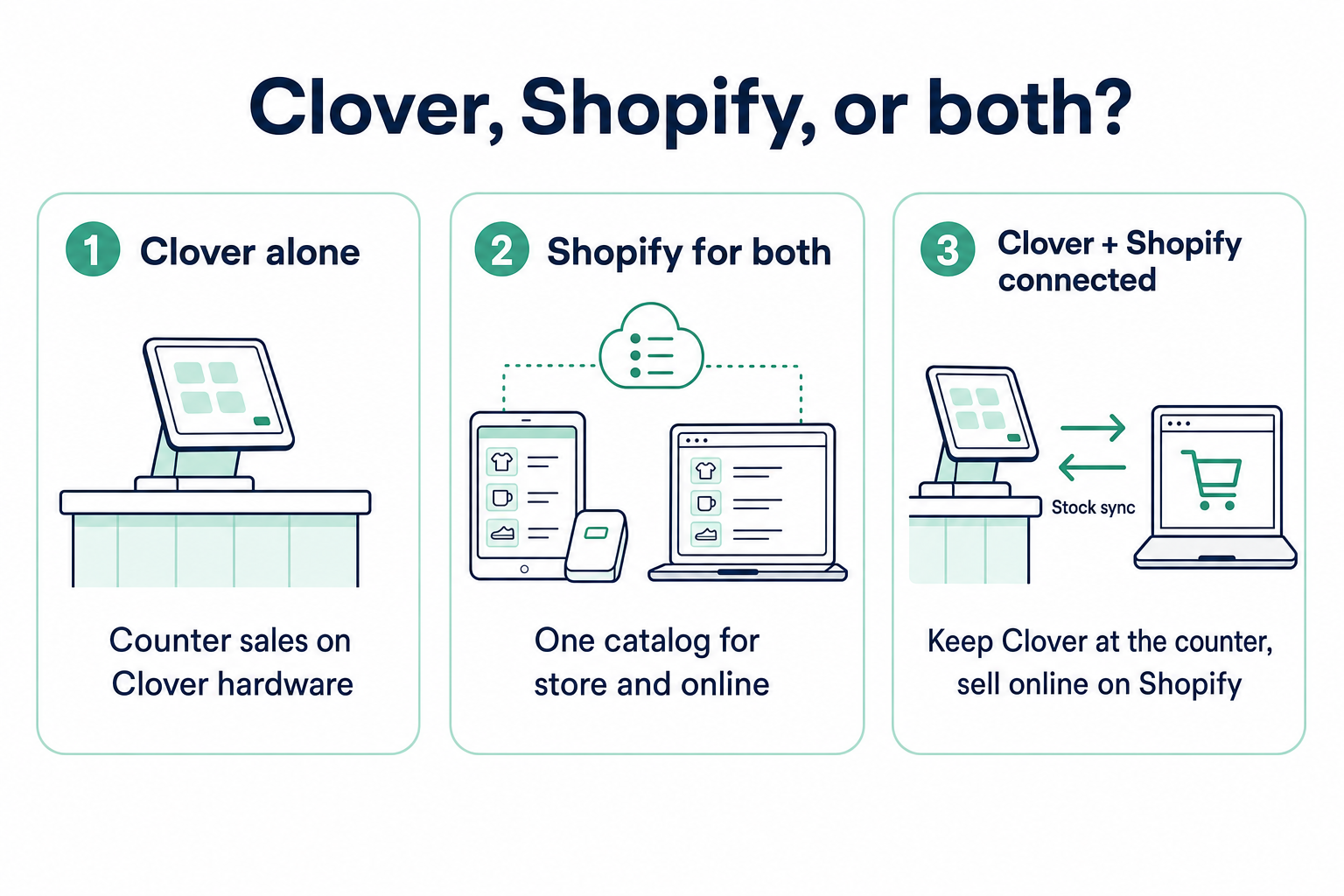
Still deciding on a register at all? Our guide to the best POS systems for small retail businesses compares eight options based on their inventory management features and online selling capabilities.
What do Clover and Shopify each do?
Clover runs the checkout counter, and Shopify runs the online store first. Each now offers tools for the other channel, which is why retailers compare them head-to-head.
1. What Clover does
Clover sells register hardware bundled with card processing and a Merchant Dashboard. Retail stock lives in the Clover Inventory app, and our Clover inventory guide covers item setup there. Clover's Retail Growth plan includes item management and an online store option.
2. What Shopify does
Shopify is an online store platform first, with themes and apps for building the shop. Its in-person app, Shopify POS, runs on a phone or tablet with a Shopify card reader. Stock counts and purchase orders sit on the POS Pro upgrade, and our guide to Shopify's stock tools explains variants online.
The table below compares Clover and Shopify across six key areas, including checkout, hardware, online selling, inventory management, payments, and pricing plans.
Table 1: Clover starts at the counter and Shopify starts online, which is why some stores run both.
How do Clover and Shopify compare for in-store and online selling?
Clover leads at the counter with dedicated hardware, while Shopify leads online with its storefront and app store. Stock tracking and payments then decide how well the two channels work side by side.
1. Checkout and hardware at the counter
Clover sells its own register devices, priced as packages with the software. A Shopify POS counter needs a phone or tablet plus a card reader, with stands and receipt printers sold as add-ons.
2. Online store and catalog
The Shopify side centers on the online store, with themes and an app store for add-ons. Clover's Retail Growth plan includes an online store and a link to an existing one. A gift shop listing 20 bestsellers online may find Clover's online store sufficient.
3. Stock tracking across channels
Shopify POS and the online store share one product catalog and a unified inventory count. Clover with a separate online store keeps two stock numbers. Those numbers match only when someone updates both systems manually or a connector syncs them.
4. Payments and processing
Clover's payments plugin for Shopify lets US and Canadian Shopify ecommerce take online card payments through a Clover account. Clover lists two limitations: surcharge-enabled accounts cannot use the plugin, and orders must be voided through Shopify.
On the Basic plan, Shopify charges a third-party transaction fee of 2% when another provider processes the order. Shopify Payments avoids that fee, though it moves your online processing to Shopify.
What does each setup cost a small retail store?
For one location, Clover's software costs $84.95 per month after an upfront hardware purchase of $1,899. Shopify for both lists at $128 per month plus a $49 reader, and the connected setup at $142.95.
The table below breaks down the listed costs for each setup, including software subscriptions, hardware expenses, and additional charges not included in the pricing.
Table 2: Listed software prices for one location; processing rates and taxes are extra.
Prices come from Shopify's POS pricing and its card reader listing, checked October 27, 2026. Clover's figures come from its retail pricing page, captured October 25, 2026.
Processing sits outside the table because Clover sets rates in each merchant agreement. On Shopify Basic, Shopify Payments lists in-person card rates at 2.6% + 10¢ and online rates at 2.9% + 30¢. Ask Clover for a written quote that prices software and processing separately.
A store with paid-off Clover hardware can avoid additional switching costs by keeping its existing setup. The connected setup costs $14.95 per month more than Shopify for both, before Shopify's reader and any new counter hardware. The connector plans start at $19 per month for inventory syncing.
When does replacing Clover with Shopify POS make sense?
Shopify POS pays off when most of your sales already happen online and your Clover hardware term is ending. You get one catalog and one stock number. In return, you buy new hardware and retrain staff on a new register.
1. Signs the switch fits
The switch tends to fit when these signals show up together.
- Sales: Online orders growing faster than counter sales
- Hardware: Clover term ending or devices due for replacement
- Catalog: One product list wanted for both channels
- Apps: A Shopify replacement for each Clover app you rely on, such as loyalty
2. What moves and what you plan for
Shopify's Migrate from Clover guide sets out what transfers and what needs extra work. Clover exports the full item list only, and Shopify's Store Migration app, in early access, moves products and customers.
The table below shows how each type of data moves from Clover to Shopify and what retailers need to prepare before switching systems.
Table 3: Products and customers move with Shopify's tools, while stock counts and order history need their own plan.
The option limit matters for apparel and shoe stores. A shirt sold by size and color fits easily. Add fit and sleeve length, and it carries four options, one more than Shopify accepts.
Plan the cutover for a quiet week, such as mid-January once holiday returns settle. Staff learn the new register while the old one still holds your counts.
Shopify's guide also lists test orders before launch. Run several, including a return, before you move the counter.
When should you keep Clover and add Shopify online?
A counter that brings in the larger share of sales, on Clover hardware you already own, is the clearest case for staying. Shopify then runs the online store, and a sync keeps stock matched between the two.
1. Signs coexistence fits
Store-heavy categories gain the most from keeping a strong counter. In Deloitte's 2026 holiday survey release, 60% of shoppers preferred buying home and kitchen goods in store. The more signs that apply to your store, the stronger the case for keeping Clover.
- Sales: The counter brings in the larger share of revenue
- Hardware: Clover devices owned or partway through a 36-month term
- Staff: A team trained on Clover checkout
- Payments: A Clover processing agreement you want to keep
- Online: Shopify chosen for its storefront and apps
2. What coexistence needs to work
Two catalogs stay in step when they share matching SKUs and the same variant setup. A SKU (stock keeping unit) is the code that identifies each product. Both systems also need one agreed starting count.
Without a sync, someone updates both systems by hand after every sale. Manual updates increase the risk of overselling, especially when only one unit of a popular product remains.
3. What to check first
Clover sync through SKU IQ covers retail plans in the US and Canada, on the Standard and Advanced Retail packages. To check your Clover plan, open Settings > View All Settings > Billing and Statements > Service Plan in the Clover Dashboard.
On Shopify, pick a plan with inventory tracking and app support. The Shopify plan requirements list Starter, Retail and Enterprise Commerce as outside this setup. The page on SKU IQ's Clover support covers the remaining details.
How does a connected Clover and Shopify setup work day to day?
Clover keeps ringing up counter sales and Shopify keeps taking web orders, while a connector such as SKU IQ passes stock changes between them. That split is the basis of connected retail, where each system keeps its current job.
Each kind of change follows its own path:
- In-store sale: Clover records the sale, and the Shopify count drops in about three minutes on average.
- Online order: Shopify takes the order, and the Clover count drops the same way.
- Product edits: Prices and SKUs follow the direction you set for each field, one way or both.
- Kept by hand: Images and tags stay outside the sync, along with UPC barcodes and unit cost.
- Orders in Clover: Shopify orders can also appear in the Clover Web Dashboard once order sync is on.
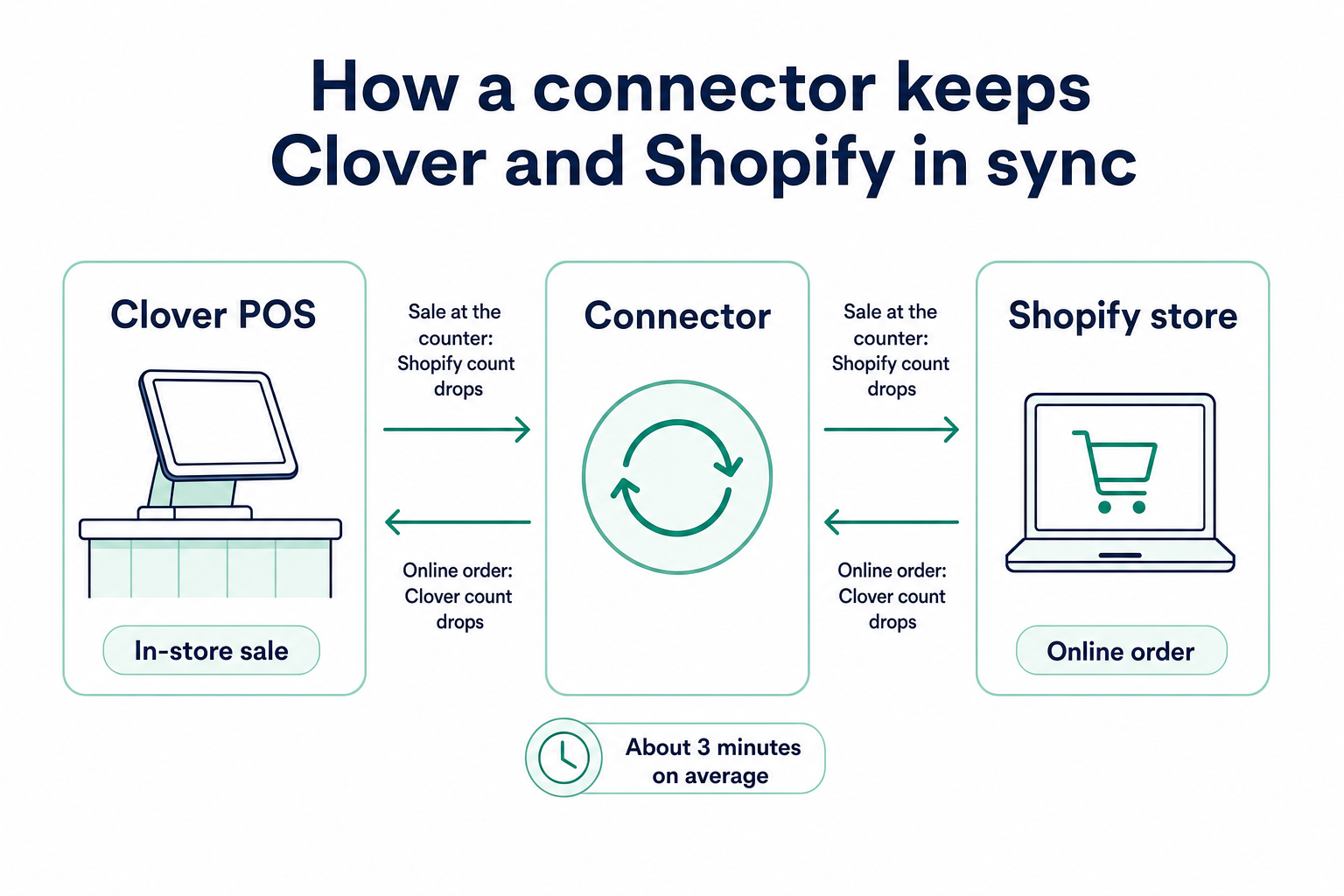
Staff ring up sales on Clover exactly as before, so the counter routine stays the same. The sync handles the counts between the register and the website.
Setup has its own checklist, from plan checks to a 10-product pilot. The Clover and Shopify integration guide covers what syncs and how to start.
Which Clover and Shopify setup fits your store?
The right setup depends on where most of your sales happen, whether you plan to expand online, and how many locations you operate.
The table below matches common retail scenarios with a recommended setup and a practical next step. Each scenario assumes one register at one location. A second register adds another device to any setup.
Table 4: Match your store's situation to a setup and the next step to take.
Connecting first works as a low-risk trial. Shopify can run online for a season while the counter stays as is, and a switch can follow later.
Revisit the choice when your Clover hardware term ends, since that date resets the switching cost. Add it to your calendar three months early so quotes arrive in time.
How can SKU IQ connect Clover with Shopify?
SKU IQ is a no-code connection layer between Clover and Shopify. Clover stays your register and Shopify stays your online store, so nothing migrates off either system.
Plans include these features:
- Link Report: matches existing products across both catalogs before anything syncs
- Push: copies Clover-only products to Shopify and links them
- Stock sync: two-way quantity updates on every plan
- Field sync: product field sync on the Plus plan at $49 per month
- Basic plan: $19 per month for stock sync
- Order view: one unified order view on every plan
- Trial: 14 days with all features and a free setup call
You choose which system sets the starting count for each product. Nothing changes in either catalog until you confirm the Link Report.
To keep Clover at the counter and run Shopify online, start your free trial.
Frequently asked questions about Clover vs Shopify
1. Is Clover better than Shopify for a small retail store?
Where your sales happen decides it. Clover fits counter-first stores that want hardware and payments in one package. Online-first stores fit Shopify better, and stores selling in both places can keep Clover and connect Shopify.
2. Can you use Clover and Shopify together?
Both can run side by side through a connector. Clover handles the register and Shopify handles the online store. A connector such as SKU IQ links matching products, and a sale on either side updates the other in about three minutes on average.
3. Does Clover have an online store?
Clover includes one on its Retail Growth plan, along with a link to an existing online store. Retailers who want Shopify's themes and apps can add Shopify and keep Clover at the counter.
4. Can I move my Clover products to Shopify?
Clover exports the full item list as a CSV file for Shopify's importer. Shopify's Store Migration app, in early access, can also move products and customers. Shopify accepts 3 options per product, and stock by location needs a separate import.
5. Does the Clover payments plugin sync inventory with Shopify?
The plugin handles payments only. It lets US and Canadian Shopify ecommerce take card payments through a Clover account. Stock counts need a separate sync between the two systems.
6. Do I need Shopify POS if I keep Clover?
Shopify POS is optional when you keep Clover. Clover handles every in-store sale, and a connector links it to Shopify eCommerce. Skipping Shopify POS also saves the $89 monthly POS Pro fee per location.
7. Which costs less, Clover or Shopify?
Listed software for one location runs $84.95 per month on Clover Standard, with hardware paid up front. Shopify Basic plus POS Pro runs $128 per month. Processing rates change the total, so compare written quotes.
Share this blog:







Sync and Manage Inventory Across Your Retail Systems
- No more spreadsheets or manual updates
- Real-time sync between POS and eCommerce
- One product catalog, every sales channel
- Save hours managing multiple systems

Ready to stop worrying about inventory?
Start a free trial and experience how much easier retail operations become when your systems stay in sync.