

Updated
November 4, 2026
Retail Inventory Management Software 2027: Buyer's Guide for Small Physical Stores
This guide explains how to choose retail inventory management software based on your store's needs. Learn when to upgrade your inventory tools and how SKU IQ connects your existing POS with online sales channels.


TL;DR
- Choose the right software layer. Retail inventory management software falls into four categories: POS inventory, connectors, inventory management systems, and ERP. Most small retailers can start with their POS and a connector.
- Inventory synchronization is a growing priority. Zebra Technologies' 18th Annual Global Shopper Study found that 84% of retail decision-makers face high pressure to synchronize real-time inventory across channels.
- Use a connector before replacing your POS. Tools like SKU IQ synchronize inventory between supported POS and e-commerce platforms, reducing manual updates and the risk of overselling.
- Upgrade when operations become more complex. Dedicated inventory management systems are better suited to retailers needing advanced purchasing, warehouse management, forecasting, or wholesale capabilities.
- Compare total costs and integrations before buying. Check subscription fees, add-ons, order limits, supported platforms, and synchronization features. Test inventory updates using real products before committing to a plan.
Your POS already counts stock on the shelf. Then your online store launches, inventory counts drift, and someone recommends retail inventory management software. Before buying another tool, identify which part of your operation needs help.
According to Zebra Technologies' 18th Annual Global Shopper Study, 84% of retail decision-makers face high pressure to synchronize real-time inventory across channels for better forecasting and replenishment.
This guide breaks retail inventory management software into four layers. You'll learn what each layer handles, when it makes sense, and which tools to consider, with examples for small retailers using Square, Lightspeed, Shopify, or similar platforms.
The four layers of retail inventory software at a glance
Retail inventory software comes in four layers, and each one adds a job to the layer below it. Most small stores need the first two.
The table below compares these four layers by their primary functions, software examples, and the types of retail businesses they best serve.
Table 1: The four layers of retail inventory software, from the POS up to ERP.
An inventory management system works alongside your POS and must also connect to your online store. More software doesn't remove the integration question. Order within a layer is not a ranking.
Start with what your POS already does
Before investing in retail inventory software, assess your POS capabilities and identify where its inventory management features fall short.
1. What a retail POS plan usually covers
Square Plus includes purchase orders, vendor management, stock transfers, low-stock alerts, and automated restocking. The plan costs $49 per month per location.
Lightspeed Retail supports purchase orders and min/max reorder points, with demand forecasting available through Lightspeed Insights.
Review your POS plan to identify which inventory features are already included.
2. Where POS inventory stops
A POS tracks in-store sales and inventory but may not automatically update quantities in a separate online store.
For example, a gift shop sells its last ceramic candle in-store, but the website still shows it as available. An online customer orders the same item, forcing the retailer to cancel or substitute the order.
The Census Bureau's Q2 2026 data shows e-commerce sales growing faster than total retail sales, making accurate stock synchronization increasingly important.
Still choosing a checkout system? Read our small retail POS buyer's guide.
When a connector is enough
A connector can link your existing POS and online store without replacing either system. Here's how to determine whether you need one, which features to check, and what limitations to expect.
1. Signs a connector fits your store
Consider a connector if your business faces these situations:
- One or two locations: Staff manage stock through the POS but need to sync it online.
- Online overselling: In-store sales do not update website quantities quickly enough.
- Duplicate data entry: Staff manually update products in both systems.
- A new online store: Existing POS products need to be transferred in bulk.
- Purchasing already works: The POS handles purchase orders and replenishment.
These situations generally require better synchronization rather than a new inventory management system.
2. What a good connector should handle
Check whether the connector supports these functions for your POS and e-commerce platform:
- Product matching: Link existing products across systems using SKUs or barcodes.
- Catalog migration: Transfer products from the POS to the online store in bulk.
- Stock updates: Sync inventory changes from sales, returns, and adjustments.
- Additional features: Check support for images, product attributes, orders, new products, and multiple locations.
Confirm supported features, synchronization direction, and plan limitations before setup.
3. What a connector will not do
A connector does not replace dedicated purchasing, forecasting, warehouse management, or accounting software.
It also cannot correct inaccurate inventory records. If your POS shows ten units when only eight are available, the connector may sync the incorrect quantity online.
Retailers needing advanced purchasing, forecasting, or warehouse features should consider a dedicated inventory management system.
When you need more than a connector
An inventory management system becomes useful when purchasing, storage, or planning exceeds the capabilities of your POS. Each signal below includes a simpler option to try before committing to a larger platform.
1. Purchasing: Multiple Suppliers and Receiving
Signal: Staff order from many vendors using spreadsheets. Freight charges and duties also make it harder to calculate the final cost of each item.
Rising costs make supplier management more challenging. According to the Federal Reserve Banks' 2026 Report on Employer Firms, 69% of retail firms reported tariff-related cost challenges.
Try first: Use the purchase order and vendor tools already included with your POS.
Upgrade when: Your team needs supplier price lists, partial receiving across locations, or landed costs calculated for individual products.
2. Warehouses and Stockrooms
Signal: Online orders ship from a separate stockroom, warehouse, or third-party logistics provider (3PL).
Try first: Use POS location transfers when inventory lives in one or two straightforward locations.
Upgrade when: Staff need bin-level locations, structured pick-and-pack workflows, or a connection to a 3PL. Zoho Inventory and Cin7 offer warehouse management features for businesses with more complex inventory operations.
3. Forecasting and Replenishment
Signal: Seasonal orders rely on guesswork, and popular products repeatedly sell out before the next delivery.
Try first: Review POS sales reports, low-stock alerts, and reorder points.
Upgrade when: You need recommended order quantities across hundreds of products and suppliers. Thrive Inventory lists forecasting features, while Cin7 offers forecasting through an add-on.
Test forecasts against past sales before using them to place large seasonal orders. Check how each tool accounts for lead times and promotions.
4. Bundles, Kits, Wholesale, and B2B
Signal: Your store sells gift sets assembled from individual products. Wholesale customers may also need different prices or ordering processes.
Try first: Track each set as a separate POS item and adjust component quantities manually when sales volume is manageable.
Upgrade when: Selling a bundle must automatically deduct its components from stock. A broader system may also help when wholesale buyers need customer-specific pricing or an ordering portal.
When ERP Becomes Relevant
Enterprise resource planning (ERP) connects inventory with wider business functions. These may include finance, procurement, manufacturing, and other operations.
The SAP ERP guide describes ERP as software for managing core business processes. For a retailer, ERP becomes worth assessing when inventory must work alongside manufacturing or multiple company entities.
A small shop selling packaged goods rarely needs this level of software. Confirm the need for broader business control before starting an ERP implementation project.
How to Choose the Right Layer for Your Store
Choose the simplest software layer that solves your current inventory problem. Add more tools when your operations require additional features.
Work Through These Four Questions
Answer these four questions to identify which software layer fits your inventory needs.
- Does your POS handle stock counts and basic purchasing well? Keep using it if staff can manage daily operations reliably.
- Do your POS and online store disagree? Consider a connector such as SKU IQ if your platforms are supported. Compare alternatives based on the data they sync.
- Have purchasing or warehouse tasks outgrown the POS? Shortlist inventory management systems and verify their compatibility with your existing platforms.
- Must inventory share a system with finance or manufacturing? Evaluate ERP solutions and account for implementation, migration, and training.
Which Software Layer Fits Different Retail Stores?
The table below illustrates how store size, sales channels, and operational complexity can influence the choice of inventory software.
Table 2: Illustrative retail store setups and their recommended inventory software layers.
These are illustrative examples, not customer stories. Reassess your software needs when manual tasks increase or inventory errors repeatedly affect orders.
Retail Inventory Management Software to Compare in 2027
Compare six retail inventory tools by features, integrations, limitations, and best fit. A separate pricing comparison follows below.
1. SKU IQ: Connect Your Existing POS to Your Online Store
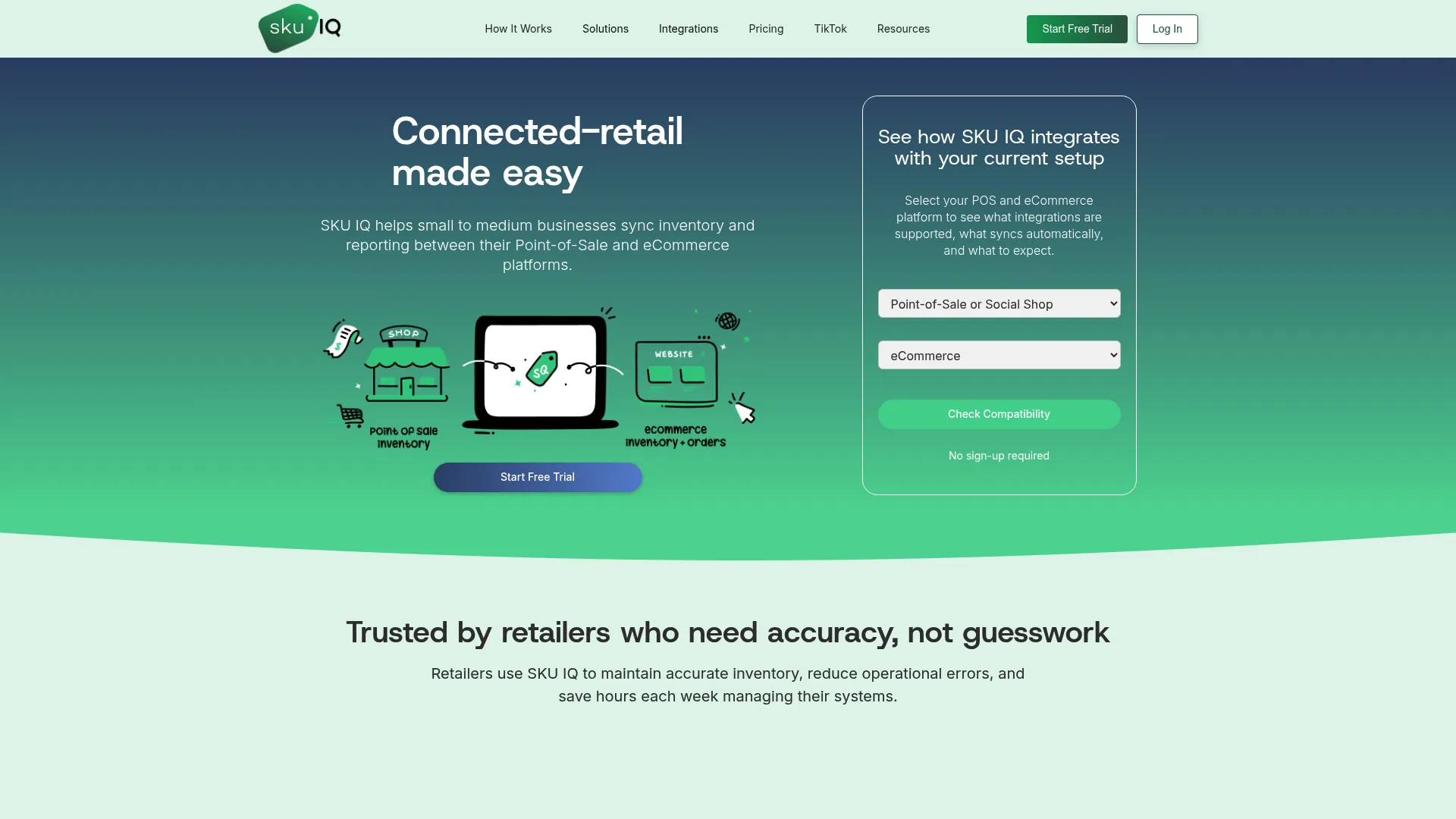
What it is: A connector (layer 2) that synchronizes product information and inventory between supported POS and e-commerce platforms.
Where it fits: SKU IQ connects Clover, Lightspeed R-Series, Lightspeed X-Series, and Square with Shopify, Wix, WooCommerce, Squarespace, and BigCommerce. It matches products by title, SKU, or UPC, transfers catalogs, and displays in-store and online orders in one view. Setup involves four steps: connect, analyze, map, and sync.
Pricing and trial: Basic costs $19/month, Plus $49/month, and Pro $99/month. Order Sync and multi-location support cost extra. All plans offer a free trial of up to 14 days and an optional free setup consultation.
Watch for: Multi-location support is documented for Lightspeed Retail, Square, and Shopify. Confirm supported features for your specific platform combination.
Best fit: Small retailers retaining their existing POS while adding or managing an online store.
2. Trunk: Stock-Level Synchronization Across Sales Channels
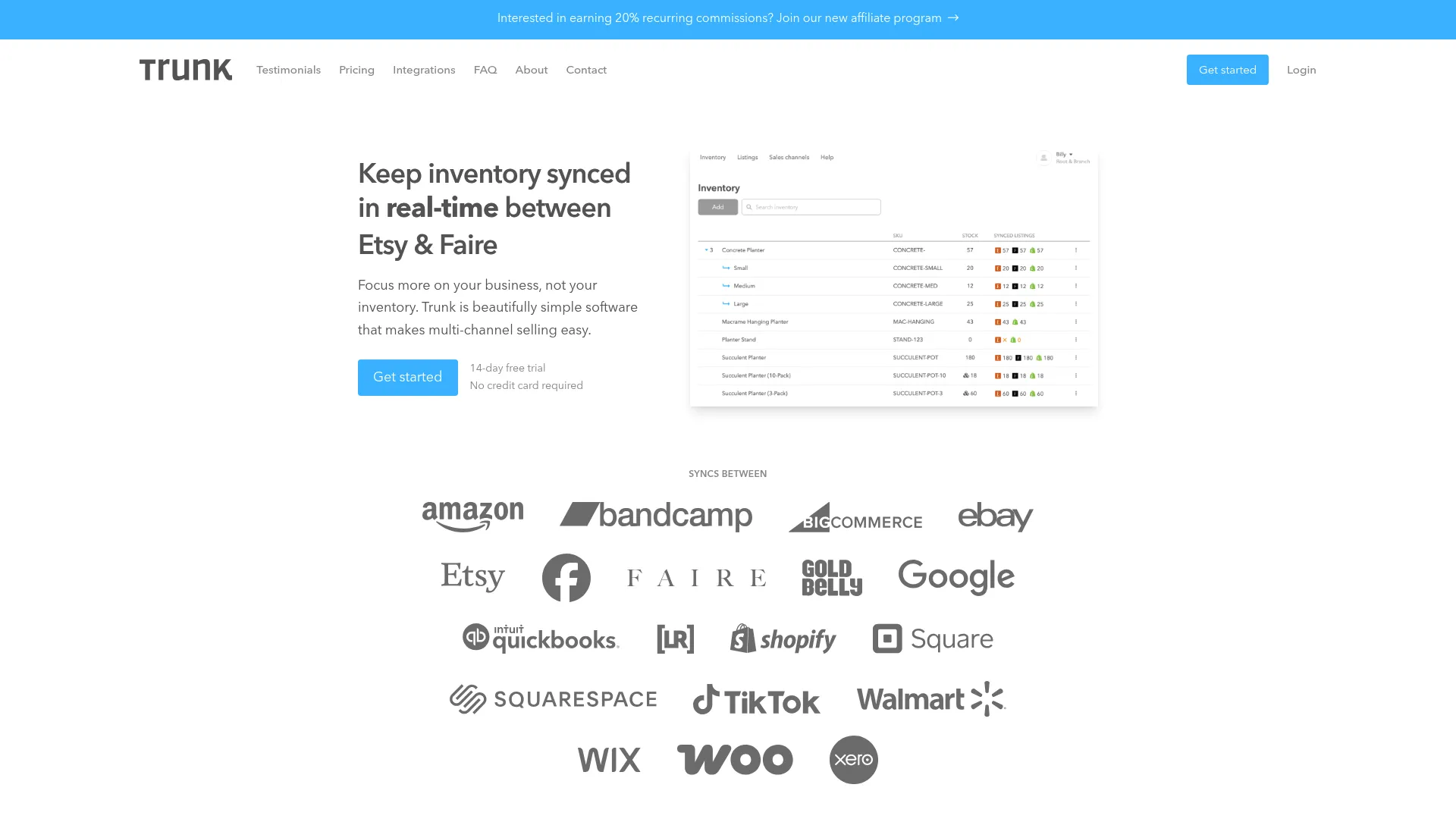
What it is: A connector that synchronizes inventory quantities across multiple sales channels.
Where it fits: Trunk synchronizes stock across Square, Shopify, Wix, WooCommerce, Etsy, Amazon, and other channels. It matches products using SKUs and supports bundling and kitting on its Pro plan.
Pricing and trial: Essential starts at $35/month and Pro at $39/month for up to 100 monthly orders. Both offer a 14-day free trial. Confirm current pricing, as the published reference is older.
Watch for: Confirm whether product details and order records sync between your platforms. Retailers opening an online store should also check how existing catalogs can be transferred.
Best fit: Retailers and marketplace sellers primarily needing consistent inventory quantities across several channels.
3. SKUPlugs: POS-to-Ecommerce and Marketplace Connector
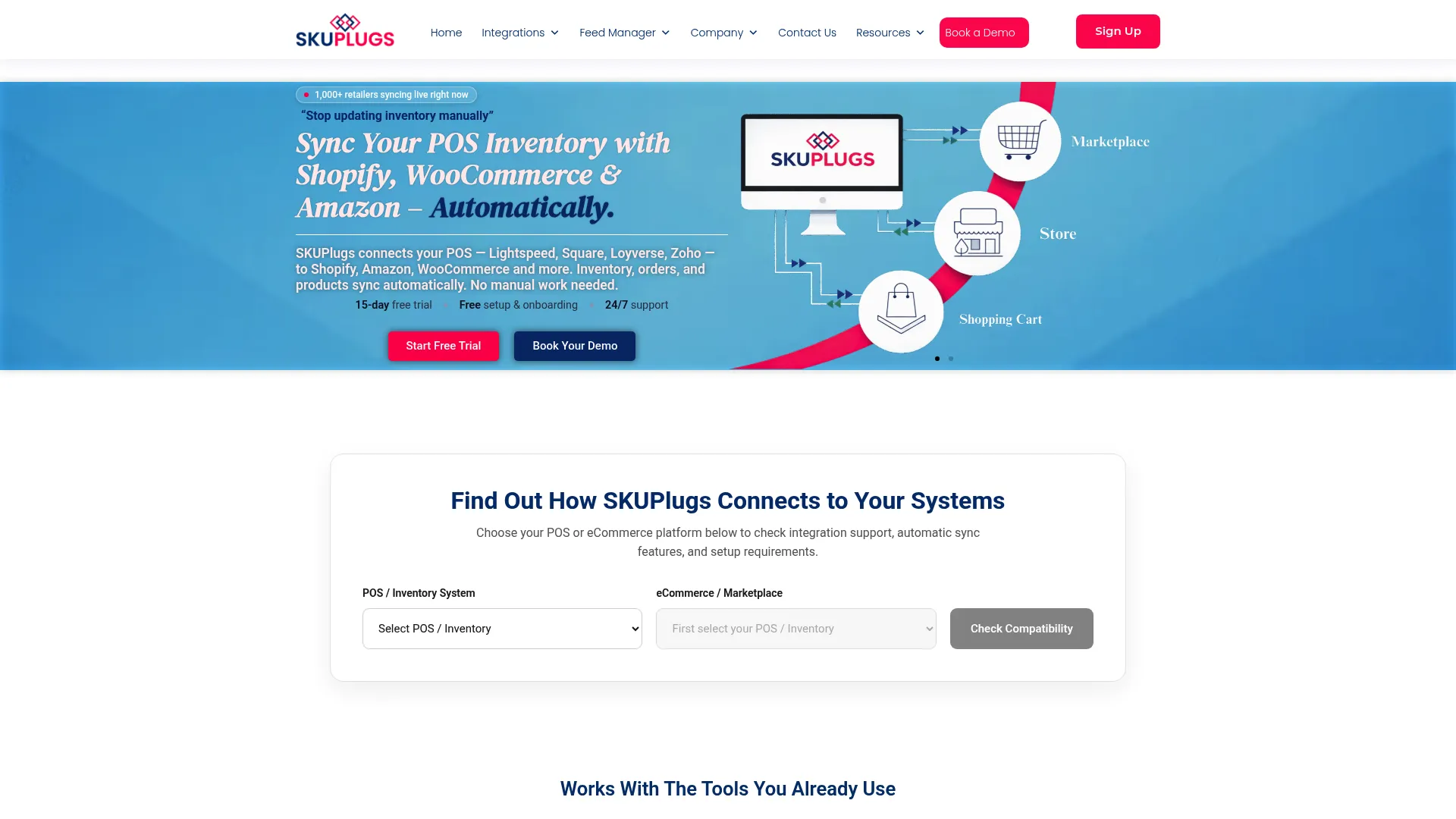
What it is: A connector that links supported POS or inventory systems with e-commerce platforms and marketplaces.
Where it fits: SKUPlugs connects Lightspeed, Square, Loyverse, and Zoho Inventory with Shopify, WooCommerce, Amazon, and other channels. Supported integrations synchronize product information, inventory, and orders.
Pricing and trial: Plans start at $25/month for Loyverse, $40/month for Zoho Inventory, and $59/month for other supported POS integrations, including Square and Lightspeed. A 15-day free trial requires no credit card.
Watch for: Verify which product fields sync, where online orders appear, and whether synchronization works in both directions. Support options may vary by plan.
Best fit: Retailers using a supported POS and e-commerce or marketplace combination.
4. Thrive Inventory: More Inventory Tools Alongside Your POS
What it is: An inventory management system (layer 3), formerly known as Shopventory.
Where it fits: Thrive integrates with Clover, Square, Shopify, WooCommerce, and BigCommerce. It adds purchase orders, vendor management, min/max stock levels, and inventory forecasting.
Pricing and trial: Plans vary by users, locations, integrations, and monthly transaction limits. Thrive advertises a 14-day free trial, but its website contains conflicting pricing tables. Confirm the current rate before subscribing.
Watch for: Staff must manage another inventory platform alongside the POS. Plans also limit transactions, which include sales processed through connected POS and online stores.
Best fit: Retailers whose purchasing, inventory tracking, and replenishment needs exceed their POS capabilities.
5. Zoho Inventory: Inventory and Warehouse Tools for Growing Retailers
What it is: An inventory management system with purchasing and warehouse management features.
Where it fits: Zoho Inventory supports purchase orders, multiple warehouses, transfer orders, composite items, and bin locations on eligible plans. Shopify and Square appear in its integration ecosystem, but supported data fields depend on the connection.
Pricing and trial: A free plan covers 50 orders per month. Paid plans start at $29/month, billed annually, with higher tiers adding more orders, users, and locations. A 14-day free trial is available.
Watch for: Inventory management moves into a separate system alongside your POS. Advanced warehouse features, including bin-level tracking, depend on the selected plan.
Best fit: Budget-conscious retailers needing warehouse management features, particularly those already using Zoho products.
6. Cin7 Core: Broader Inventory and Order Operations
What it is: An inventory and order management platform for retailers with complex stock operations.
Where it fits: Cin7 Core provides purchasing, warehouse management, and inventory control across multiple locations. Its Standard plan includes unlimited inventory locations, while ForesightAI forecasting is available as an add-on.
Pricing and trial: Cin7 Core starts at $349/month for the Standard plan, including five users, two e-commerce/app integrations, and 6,000 annual sales orders. Additional integrations and forecasting may increase costs.
Watch for: Implementation requires more planning than a basic connector. Cin7 advertises over 700 app partners across its products, so verify compatibility with your POS and e-commerce platforms specifically for Cin7 Core.
Best fit: Growing retailers managing wholesale orders, multiple warehouses, or high order volumes.
Compare the Cost of Your Actual Setup
Compare plans based on your store's integrations, order volume, and inventory needs. The table below uses an illustrative setup with one Square location, one Shopify store, approximately 2,000 products, and fewer than 500 online orders per month.
Table 3: Inventory software pricing and plan requirements for an illustrative Square and Shopify retail setup.
What to Ask Any Vendor Before You Buy
Ask these questions in the demo or trial, whichever layer you pick:
- Does it support my exact POS and online store, including the edition (Lightspeed R-Series or X-Series)?
- For stock, prices, and product details, which system wins when they differ?
- How are existing products matched at setup, and who approves the matches?
- How are variants and multiple locations handled?
- Where do online orders go: into the POS, a separate dashboard, or nowhere?
- How will I see a failed update, and how do I fix it?
- What does the trial include, and is setup help free?
- If I pause or cancel, what happens to my settings and to the data in my POS and online store?
Run the trial on a small set of real products. Make an in-store sale and an online sale, then check inventory updates in both systems.
For day-to-day practices once the software is running, see our guide to eCommerce inventory management.
Where SKU IQ Fits in Your Retail Inventory Management Software Stack
SKU IQ is the connector layer in your retail inventory management software stack. It sits between the POS you already run and your online store, and it replaces neither one.
The layer SKU IQ covers
Look back at the four-layer table. SKU IQ sits in layer 2 and joins your POS to your online store. That means you don't need a new checkout system or have to retrain staff at the counter just to sell online.
What SKU IQ handles in that layer
At setup, SKU IQ links matching products and can move your catalog into a new online store. After launch, quantity sync comes on every plan, along with a single view of in-store and online orders. Product details, images, and new-item push depend on your plan. See how it works for a common pair on the Square and Shopify integration page.
What stays with your POS or a broader system
Purchasing, counting, and reordering stay in your POS. If the "more than a connector" signals apply later, an inventory system or ERP can take those jobs. Until then, you pay only for the layer your store needs today.
Buy the layer your store needs today, and start by connecting what already works. Check whether your POS and online store are compatible and which data can be synchronized. Ready to test it? Start a free trial.
Frequently Asked Questions on Retail Inventory Management Software
1. Do I need inventory management software if my POS already tracks stock?
Usually not at first. Many POS plans include purchase orders, vendor records, and low-stock alerts. If your only problem is the online store falling out of step, add a connector. Move to an inventory system when purchasing or storage outgrows the POS.
2. What is the difference between inventory sync and inventory management software?
Inventory sync keeps stock and products matched between systems you already use. Inventory management software runs the inventory itself, including purchasing, warehouses, and forecasting. Many stores need sync first and management tools later.
3. Can small retailers benefit from inventory software, or is it just for large companies?
Small retailers benefit when the tool matches their layer. A one-location shop often gets what it needs from its POS plus a connector. Full systems pay off once buying, stockrooms, or wholesale add real workload.
4. What should a small store budget for retail inventory software?
Cost depends on the layer. Verified connector plans in this guide run from $19 to $99 a month. Entry plans for inventory systems run from $29 to $349 a month. The cost table above has the details.
5. Which integrations matter most when choosing inventory software?
Look for your exact POS and online store first, including the edition. Then check accounting, marketplaces, and shipping tools you already use. Ask which data moves in each direction. A logo on an integrations page proves little on its own.
6. When does a small retailer need an ERP?
A small retailer needs an ERP when finance, manufacturing, or several companies must run in one system with stock. Most single-brand stores selling packaged goods never reach that point.
Share this blog:





Sync and Manage Inventory Across Your Retail Systems
- No more spreadsheets or manual updates
- Real-time sync between POS and eCommerce
- One product catalog, every sales channel
- Save hours managing multiple systems

Ready to stop worrying about inventory?
Start a free trial and experience how much easier retail operations become when your systems stay in sync.